


Description
Download Shrestha Files Pro – Free, Secure & Modern Dual-Pane File Manager for Windows
Looking for a sleek, modern alternative to the default Windows Explorer? Shrestha Files Pro delivers a fresh, productivity-boosting file management experience with its dual-pane interface, tabbed navigation, and minimalist design. Built for Windows 10 and Windows 11, this lightweight, free file manager enhances your daily workflow with a clean, responsive UI that adapts to your system’s theme. Whether you're organizing media, transferring files between folders, or managing large projects, Shrestha Files Pro streamlines your process with intuitive controls and fast performance. With support for both 32-bit and 64-bit systems, it’s an ideal tool for users who want a faster, more efficient way to manage files without the clutter. Best of all, it’s completely free to download and use—no hidden fees, no ads, and regular updates ensure long-term reliability.
Modern Interface & Dual-Pane Productivity Boost
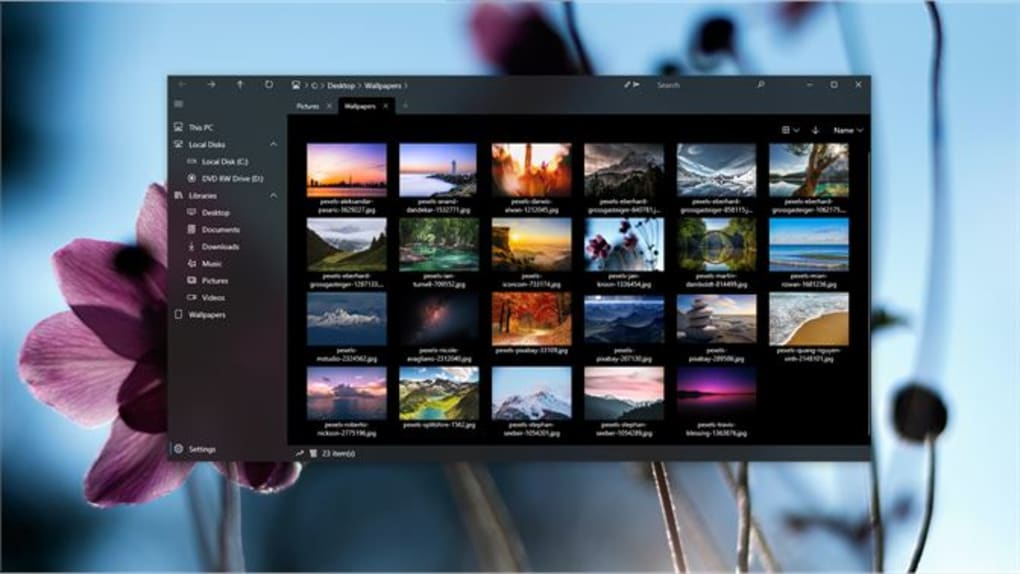
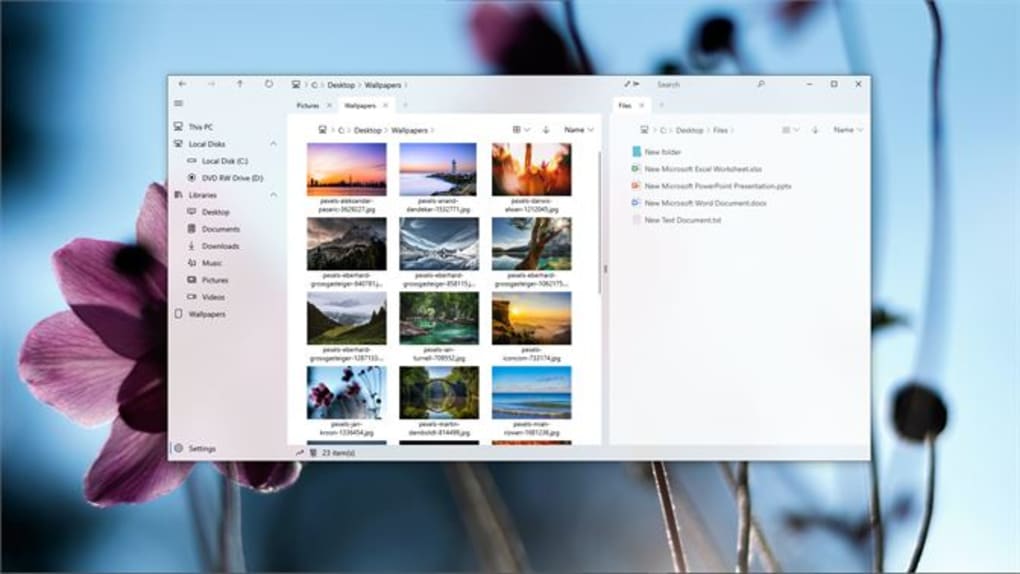
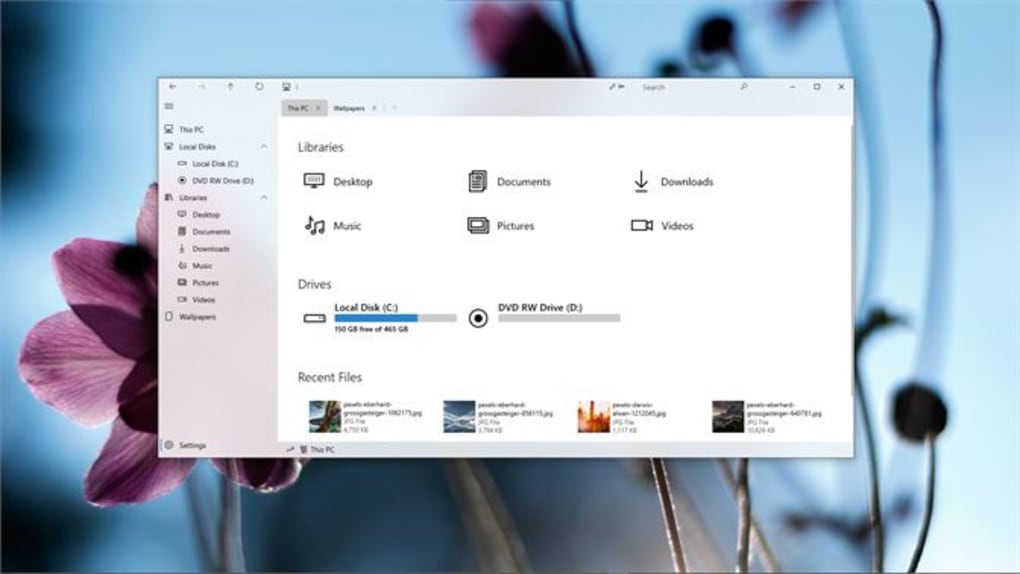
Shrestha Files Pro redefines how you interact with your files by replacing the outdated Windows Explorer with a modern, visually appealing interface. The app’s minimalist design features a sleek dark theme that seamlessly blends with Windows 10 and 11, automatically adjusting to your system’s color scheme for a consistent look. This attention to detail makes navigation feel more intuitive and less jarring, especially for users who spend hours managing documents, photos, and projects. One of the standout features is the dual-pane mode, which allows you to view and manage two folders side by side—perfect for copying, moving, or comparing files across directories. Whether you're transferring media from an external drive to your desktop or organizing project folders, the dual-pane layout significantly reduces clicks and improves efficiency. The interface also supports tabbed browsing, letting you open multiple folders in separate tabs without cluttering your desktop. This is particularly useful for multitaskers who juggle several projects at once. Each tab maintains its own state, so you can easily switch between them without losing your place. File views are customizable—choose from list, grid, or tile layouts depending on your preference. You can sort files by name, type, date, or size, with options for ascending or descending order. Even the navigation bar is flexible; while default system paths like Documents and Pictures aren’t preloaded, they work seamlessly when accessed manually. One small caveat is that thumbnail generation is slower on the first launch, but subsequent loads are much faster, thanks to caching. Overall, the interface strikes a great balance between simplicity and functionality, making it a joy to use daily.Lightweight, Secure, and Easy to Use
Performance is where Shrestha Files Pro truly shines. Unlike heavier file managers that consume system resources, this app is lightweight and optimized for speed. It runs efficiently on both 32-bit and 64-bit Windows systems, using minimal RAM and CPU, which means it won’t slow down your computer even during intensive file operations. This makes it ideal for older machines or users who prioritize system responsiveness. The installation process is straightforward—download the installer, run it, and follow the on-screen prompts. Once installed, the app launches instantly, requiring no lengthy setup. Its user-friendly design ensures that even beginners can navigate it without confusion. Security is another strong point. Shrestha Files Pro is a standalone, portable application with no bundled malware or third-party trackers. It doesn’t require administrator rights to run, making it safe for both personal and professional use. The app also receives regular updates to fix bugs, improve stability, and enhance compatibility with new Windows versions. This commitment to ongoing support ensures that your file manager remains secure and functional over time. Additionally, since it’s free to download, you can try it risk-free and keep it as your go-to tool for file management. Whether you’re a student, freelancer, or office worker, Shrestha Files Pro delivers a reliable, secure, and fast experience without the bloat.Key Features, Pros & Cons
- Modern dual-pane interface – View and manage two folders simultaneously for faster file transfers.
- Tabbed browsing – Open multiple folders in separate tabs for seamless multitasking.
- Customizable file views – Switch between list, grid, and tile layouts with sorting options.
- Dark theme compatibility – Automatically adapts to your Windows system theme for a consistent look.
- Lightweight and fast – Minimal resource usage ensures smooth performance on all systems.
- Free to download and use – No ads, no hidden costs, no trial limitations.
- Regular updates – Ongoing improvements for stability and compatibility.
Pros
- Beautiful, modern UI that enhances productivity
- Efficient dual-pane and tabbed navigation
- Runs smoothly on older and newer Windows systems
- Completely free with no ads or bloat
- Secure, lightweight, and update-ready
Cons
- First-time thumbnail generation is slow
- Default system folders (Documents, Pictures, etc.) not preloaded in navigation
- Limited advanced features compared to paid alternatives
- Only available for Windows (no Mac, Android, or iOS support)
Frequently Asked Questions (FAQ)
Final Verdict & Call to Action
Shrestha Files Pro is more than just a cosmetic upgrade—it’s a practical, efficient tool that enhances your file management workflow on Windows. With its modern dual-pane interface, tabbed browsing, and sleek dark theme, it brings a fresh, professional feel to everyday file tasks. While it lacks some advanced features found in premium file managers, its simplicity, speed, and zero cost make it a standout choice for users who value performance and design. Whether you're a casual user or a power user managing complex projects, this free file manager delivers consistent results without compromise. If you're tired of the cluttered default Windows Explorer and want a faster, cleaner alternative, download Shrestha Files Pro today. It’s secure, update-ready, and built for the latest Windows systems. Give it a try—your productivity will thank you.Guides & Tutorials for Shrestha Files Pro
How to install Shrestha Files Pro
- Click the Preview / Download button above.
- Once redirected, accept the terms and click Install.
- Wait for the Shrestha Files Pro download to finish on your device.
How to use Shrestha Files Pro
This software is primarily used for its core features described above. Open the app after installation to explore its capabilities.
User Reviews for Shrestha Files Pro 0
No reviews found





